Same thing happened to me,what did you do to fix the problem?
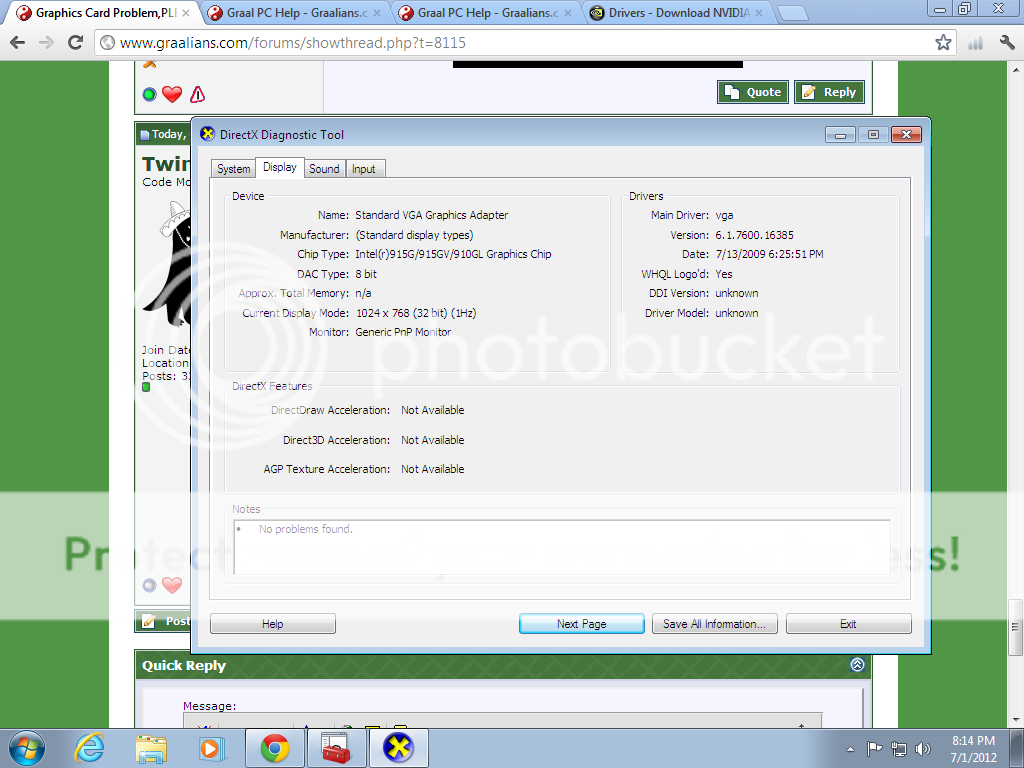
There's always the possibility that this new computer does not have dedicated graphics and is using inbuilt Intel, which would mean you would have to check for drivers off the Intel website.
Here's how we can find out!
- Run dxdiag.exe from the start menu.
- Write down both the 'System Model' and 'Processor'
- Select the 'Display 1' tab
- Write down the Device name and manufacturer
- Reply to this thread with all the information you have found
If in doubt, just take a screen shot of the 'System' and 'Display 1' tab and we can take the relevant information from that.
From this, we can determine if you are running a Laptop/Desktop and if you have dedicated graphics or inbuilt. From there, we might be able to give you the exact link you need to download your graphics driver. |