|
11-02-2011
|
1
|
|
Dark Desert Fox
Join Date: Sep 2011
Location: United States, Ohio
Posts: 5,720
|
Tutorial: Testing Customs Before Submitting To Graal
Testing Customs
Sometimes we submit customs that have a problem and you have to keep resending them to fix the problem. This tutorial will show you how to test them before submitting to Graal. Just follow these steps: (EDIT: If your head isn't already the default head, then type "sethead head0.png". There are other heads you will be able to use to test it out, but the default is easiest to keep track of.)
Step 1: Download the PC version of Graal from here: http://www.graalonline.com/playerworlds/downloads/
 Step 2: After downloading it, search "levels" on the start button at the bottom left of your computer.
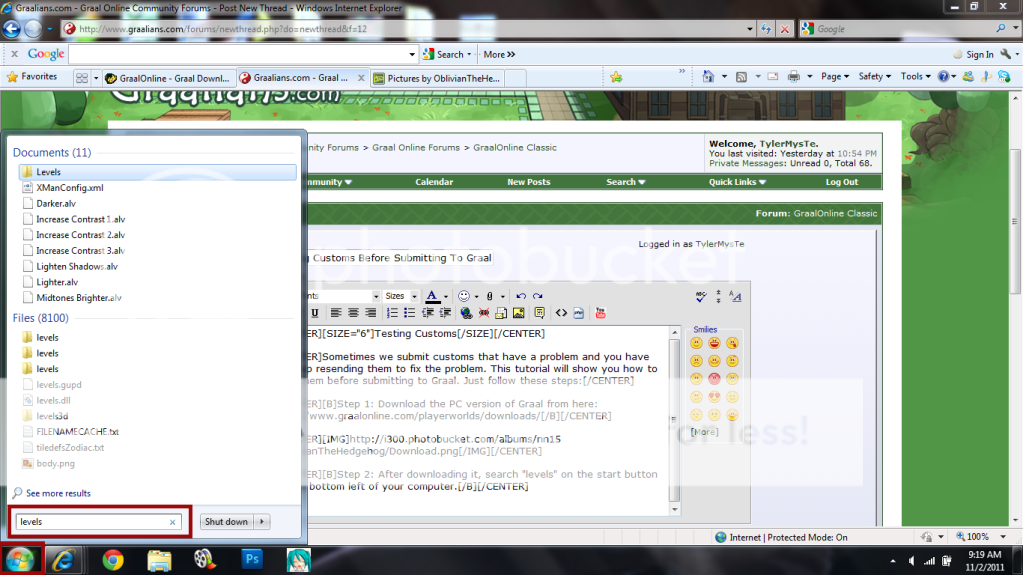 Step 3: After searching "levels", find the folder that has "Graal" labeled under it.
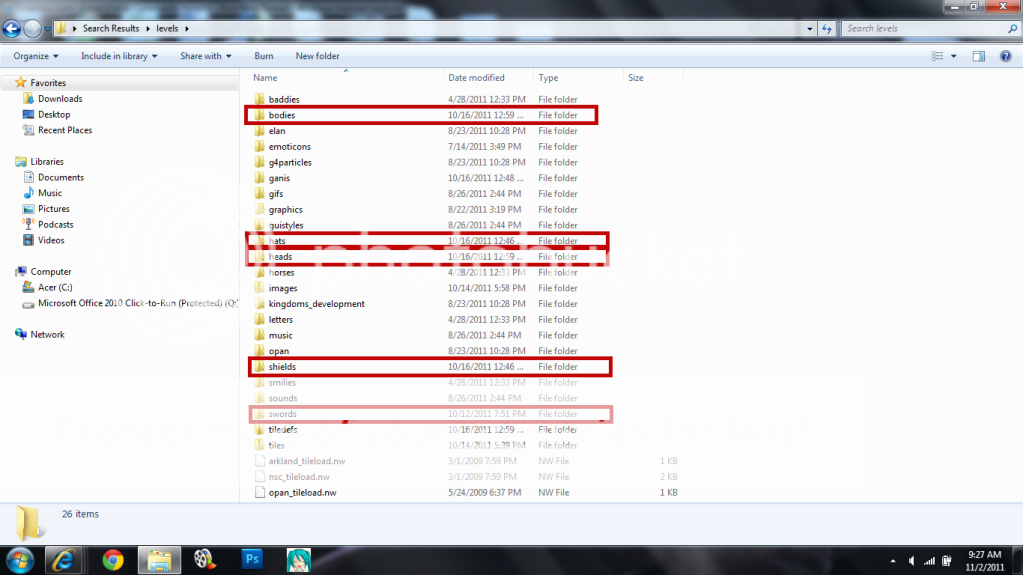
 Step 4: Click on the Graal levels folder and then find the folder of which type of custom you want to test (swords, shields, bodies, heads, etc.). I'll just show you guys a test with a body.
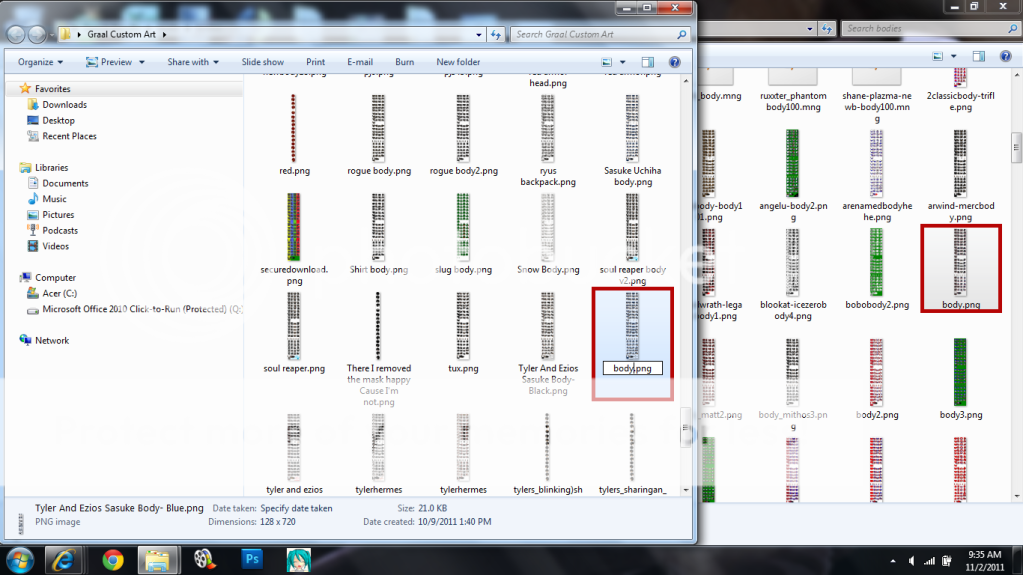
 Step 5: Rename the file you want to test to the default body that your guy is wearing on Graal PC which would just be "body".
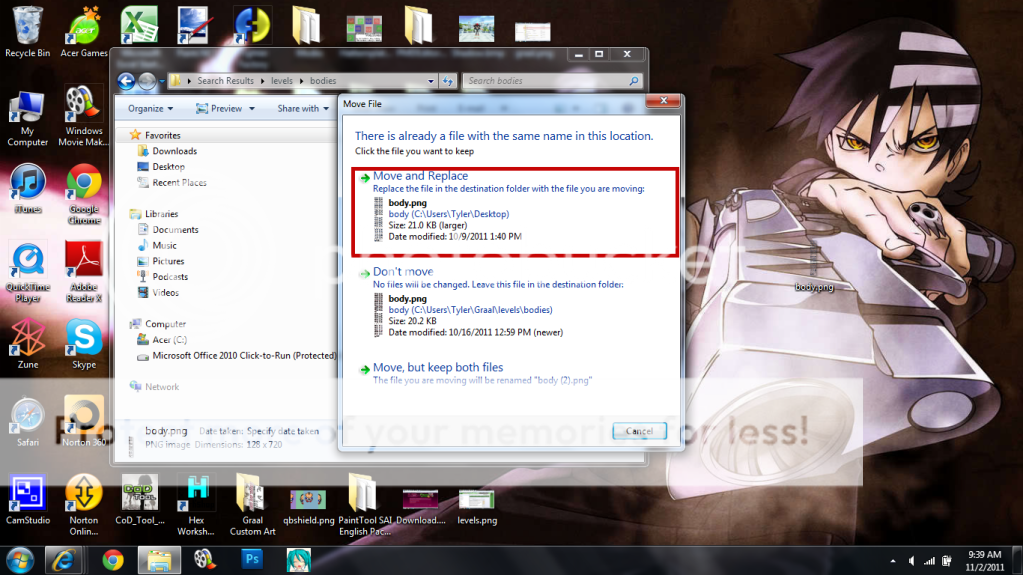
 Step 6: Replace the Graal PC default with your renamed custom.
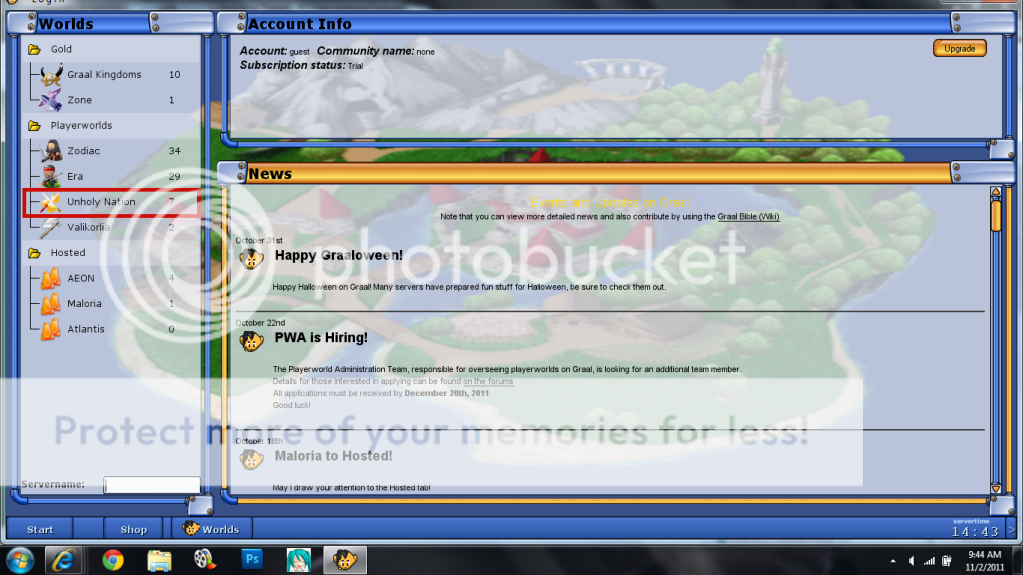
 Step 7: Sign in as a guest on Graal PC and choose "Unholy Nation".

 Result: (I used the sasuke body me and ezio made as an example.)
This also works on other servers like Zodiac. Except you won't be able to test out a sword on there I don't think. Anyways, I hope this helped! NOTE: Anyone with the body you have on will be seen with it on your screen as well. The default names for each section is body.png, head0.png, shield1.png, sword1.png.
Last edited by Tyler; 11-02-2011 at 06:08 PM.
|
|
|
|